5 Data
Last edited
This is all about understanding how zeroes and ones can become much larger objects like text, images, and sound.
Bit patterns and types
Text files are just binary files that happen to follow a consistent mapping between bit strings and characters. This mapping is called an encoding
What happens if we ask Rust to treat a bit pattern produced by one type as another?
Example of data transmuting
Here we take a float, convert to an int and back. To show it’s just bits.
fn main() {
    let a: f32 = 42.42;
    let frankentype: u32 = unsafe {
        // No semicolon, we want the result to feed
        // the outer scope.
        std::mem::transmute(a)
    };

    // We've re-read the same bits of 'a' which interpreted as a float,
    // now we're looking at it as a unsigned int
    println!("{}", frankentype); // 1110027796
    println!("{:32b}", frankentype); // 01000010001010011010111000010100

    // Convert back to float
    // (since its the same bits under just a different interpretation)
    let b: f32 = unsafe {
        std::mem::transmute(frankentype)
    };

    // It's back to the original interpretation
    println!("{}", b); // 42.42
    assert_eq!(a, b);
}
Unsafe
The primary purpose of unsafe blocks is to allow Rust to interact with external code, such as libraries written in other languages and OS interfaces.
Integers
// Ask rustc to ignore the obvious overflow, otherwise it won't compile
#[allow(arithmetic_overflow)]

fn main() {
    let (a, b) = (200, 200);
    // because we said this is a u8 type, it would overflow since it only has 8 bits to work with.
    let c: u8 = a + b;
    println!("200 + 200 = {}", c);
}
Dynamic languages like python are very unlikely to encounter an interger overflow. Dynamic languages typically check to see that the result of integer expressions will fit, if not the variable gets promoted to a wider integer type.
Endianness
There are two ordering decisions CPU manufacturers can make:
// ENDIANNESS
// Big endian - most significant byte first:
00000001 00000010 00000011 00000100
// Little endian - most significant byte last (bytes reversed):
00000100 00000011 00000010 00000001

// BIT NUMBER (BIT ENDIANESS)
// Ordering at the bit level (inside of a byte)
0110_1000 vs 0001_0110 // MSB-first vs LSB
// Both represent 104 just stored differently on the CPU
Floating-point numbers
Why are floating points stored like this?
Scientific notation is a way to describe vastly differnt numbers with the same # of characters.
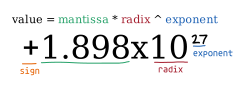
Floating point stole this same notation:
- take your decimal, do some conversions (shown later)
- you’ll get an exponent and a mantissa, the base will always be 2
- Then convert to binary and you’ll end up with the following in memory:

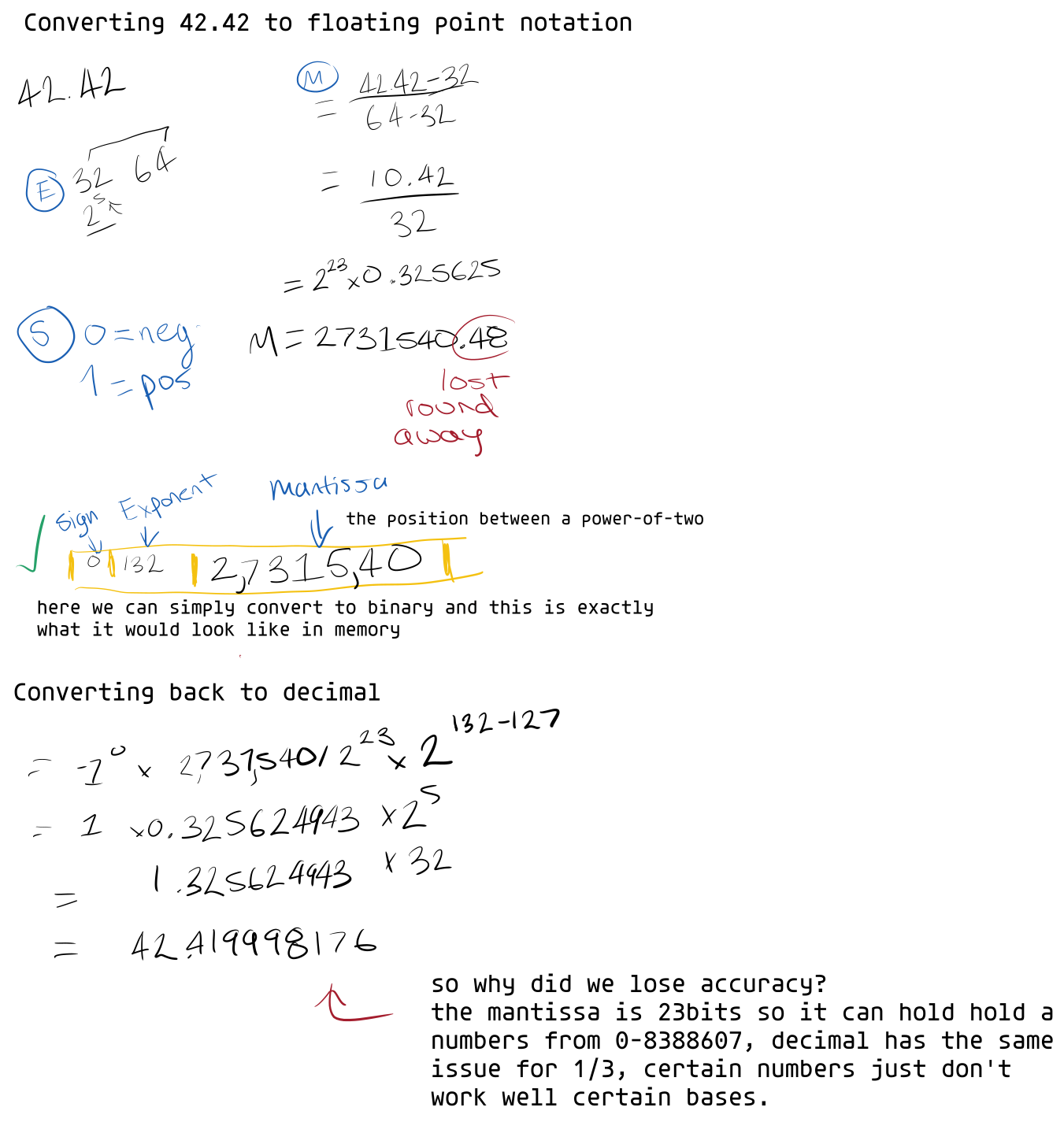
How do convert decimal to floating point format
Floating points are simply just converting decimal to binary. But we want to get more scale (super small, super big) out of our 32bits, so we’ve devised a more format to store and operate on them.
- 1 bit for the sign
- We dedicate 8 bits for the ’exponent'
- the rest for the ‘mantissa’ which is where exactly the number falls within a power-of-two window (e.g., [4-8]).